Any modern web hosting business needs a proper billing system. Even if you could accept payments manually, hosting clients expect a fast self-service experience: choose a plan, pay instantly, get the service provisioned automatically, and renew without talking to support.
Billing in hosting is not “just invoices”. It’s the heart of automation: it connects payments, client accounts, provisioning, renewals, tickets, and fraud control into one workflow. A good billing platform saves you hundreds of hours of routine work every month and helps you scale without multiplying your staff.
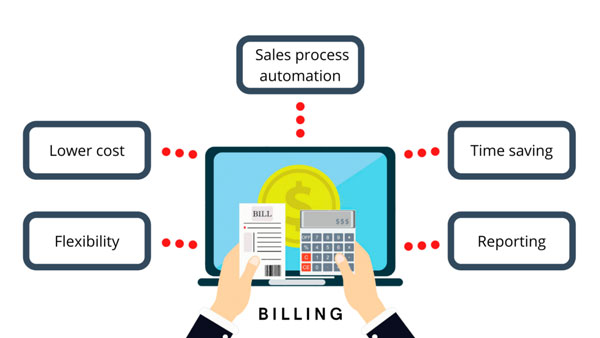
What a hosting billing system actually does
Think of billing as your “sales + automation engine”. A client should be able to go from “I want a VPS” to “my VPS is ready” in minutes — ideally with zero manual actions from your team.
Typical billing workflows in hosting:
- Order → payment → provisioning (auto-creation of a VPS/shared account, welcome email, credentials, etc.)
- Recurring billing (renewals, proforma invoices, grace periods, suspensions, reactivations)
- Client area (invoices, payments, upgrades, cancellation requests, password resets)
- Support desk (tickets, knowledge base, announcements, service alerts)
- Automation & notifications (email templates, reminders, overdue flow, abuse alerts)
Basic functionality of billing systems for web hosts
Hosting billing platforms include classic billing features (invoices, clients, reporting, promotions, affiliates), but they also add “hosting-only” functionality that other industries rarely need.
A specialized billing system for web hosting should be able to:
- automatically sell and provision hosting services (shared, reseller, VPS, dedicated, game/voice servers);
- handle upgrades/downgrades (CPU/RAM/disk changes, plan switching, add-ons);
- support recurring payments, renewals, grace periods and suspensions;
- manage domain registrations, transfers and renewals (via registrar integrations);
- sell and renew SSL certificates;
- support add-on products (backup storage, extra IPs, licenses, control panels);
- provide a client portal and ticket system (or integrate well with one);
- integrate with hosting control panels and/or virtualization platforms.
The “must-have” integrations (don’t choose blindly)
Before comparing brands, write down your required integrations. This is where many hosting startups make expensive mistakes: they pick a billing system first, and only then discover that essential provisioning or payments are missing.
What you should check before purchase:
- Payment gateways: not only global (cards/PayPal), but also local methods for your target market.
- Fraud prevention: anti-fraud scoring, manual review flows, blacklists, risk rules.
- Domain registrars: if you plan to sell domains, registrar integrations are critical.
- Provisioning layer: integration with control panels (cPanel/Plesk/etc.) or VPS platforms (depending on your stack).
- Email delivery: SMTP settings, templates, reliable sending (billing emails must arrive).
- API and automation hooks: ability to customize workflows without “hacking” core files.
How to choose a billing system (practical checklist)
There are hundreds of local payment systems worldwide, and hosting businesses often depend on regional specifics: taxes, currencies, invoice formats, bank transfers, local gateways, support language. That’s why “the most popular” billing platform is not always the best for your exact market.
When choosing a billing system, evaluate:
- Business fit: shared hosting vs VPS, B2C vs B2B, domains focus vs server focus.
- Automation quality: how many actions are truly “one click” or “zero click”.
- Supported payment methods: especially local gateways and payouts/refunds.
- Security: 2FA, permissions, audit logs, secure API, update discipline.
- Update frequency: a billing system must evolve (security + integrations).
- Support: vendor support quality and community size.
- Control panel support: cPanel/Plesk/DirectAdmin/ISPmanager/etc.
- Cost model: subscription vs yearly license vs one-time fee + updates.
Common mistakes that break hosting billing in real life
- Choosing “cheap” instead of “compatible” — then paying more for custom integrations.
- No staging/testing — updating billing on production without a backup plan.
- Weak permissions — too many staff members with full admin access.
- Bad email deliverability — renewal notices go to spam → chargebacks and churn.
- No fraud policy — chargeback storms and abuse tickets consume your support team.
- Ignoring automation — manual provisioning kills margins as you scale.
Which billing system to choose?
There are free billing systems, but in hosting they often come with serious limitations: small client caps, weaker integrations, limited automation, and higher maintenance cost. For stable growth, most providers choose commercial products.
There are many billing systems on the market, for example:
- WHMCS
- BILLmanager
- Blesta
- HostBill
- Clientexec
- Ubersmith
- WeFact Hosting
- phpCOIN
- Freeside
- CitrusDB
- CloudBlue
- ZBilling NET
- BoxBilling
- WHsuit
- BillingServ
- Atomia
- HopeBilling
- WiseCP / BillingFox
- HiPanel
- Ultimate Client Manager
- Rootpanel
- BPanel
- Upmind
As you can see, there are too many options to review in one article. In Part 2 we’ll compare several of the most popular solutions from the real hosting world, including their strengths, pricing logic, and what type of hosting business they fit best.