Cloud technologies are computing resources delivered over the internet: servers, storage, databases, networking, and software. The cloud became popular because it reduces upfront hardware costs, makes scaling easier, and supports remote work. But “cloud” is not one thing — it includes different models, each with its own advantages and trade-offs.
For many businesses, a practical “cloud starting point” is IaaS — renting virtual servers (VPS) and building exactly what you need. That’s why VPS hosting is often described as the most flexible cloud-like approach: you can deploy Linux, Windows, web hosting, mail servers, security tools, and scale as the project grows.
| Type | Key idea | Advantages | Disadvantages | Best for |
|---|---|---|---|---|
| Public cloud | Shared provider infrastructure, internet access | Fast start, elastic scaling, global services | Less control, shared responsibility complexity, cost surprises | Startups, variable loads, quick experiments |
| Private cloud | Cloud-like platform dedicated to one org | Maximum control, strong security policies, compliance | Higher cost, needs skilled admins, scaling limits | Regulated sectors, sensitive data, enterprise needs |
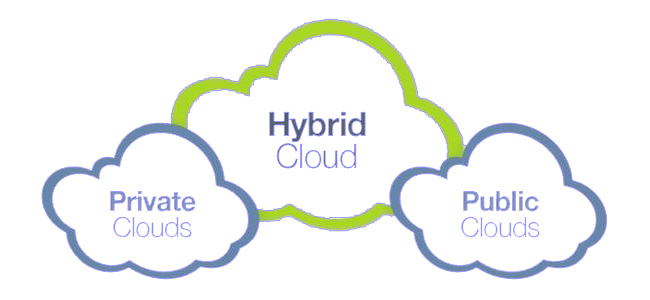
| Hybrid cloud | Combine public + private environments | Balance control and scalability, flexible workloads | Complex integration, higher operational overhead | Peak-load handling + strict data control |
A public cloud is provided by a cloud vendor and accessible over the internet. You rent resources and typically pay as you go. It’s popular because it’s quick to start and easy to scale.
A private cloud is a cloud environment dedicated to one organization. It can be built on-premises or hosted in a data center and managed by your IT team or a trusted provider. The main value is control and policy enforcement.
A practical “private cloud” approach for many projects is to run core infrastructure on dedicated virtual servers where you control OS and security hardening. For example, you can build internal services on VPS hosting using Linux VPS (common for automation, containers, web stacks) or Windows VPS (common for Microsoft workloads and Windows-based apps).
Hybrid cloud combines public and private environments. A typical pattern is: keep confidential data and core systems in private infrastructure, and use public cloud services for peak load, global delivery, or specific managed components.
Besides “where it runs” (public/private/hybrid), cloud also differs by how much you manage.
| Layer | You manage | Provider manages | When it’s best |
|---|---|---|---|
| IaaS (VPS) | OS, security, apps, updates | Hardware, virtualization, basic network | Maximum flexibility and control (web, mail, custom stacks) |
| PaaS | Your code and configuration | Runtime, scaling, much of ops | Fast app delivery when you accept platform limits |
| SaaS | Usage and settings | Everything else | Standard business tools where you don’t want to host anything |
For hosting and infrastructure topics, IaaS is often the “sweet spot”: you get cloud flexibility while choosing your environment (Linux/Windows). Cube-Host provides this via VPS hosting.
Cloud doesn’t automatically mean “secure”. Most incidents happen because of weak access control, misconfigured storage permissions, or missing monitoring. Whether you use public cloud or run your own services on VPS, apply these baseline rules:
If email infrastructure is part of your stack, isolating it often improves security and deliverability. Consider hosting email separately on VPS mail server.