
Installing MikroTik RouterOS CHR on VPS
What you will need VPS with Ubuntu 20.04 (preferably) and root/sudo access. Provider network data: IP/prefix and default gateway —

In today’s information society, where data is becoming a valuable asset, file storage plays an important role in organizing, storing, and managing files. File storage is special software or infrastructure designed to store, process, and access files and data.
File storage is an important tool for organizations and users to work with files conveniently and securely. It provides structured data storage and the ability to access data in a convenient format. With file storage, users can manage their files, create new ones, edit existing ones, and share them with other users.
The basic principles of file storage are based on the concept of a file system. A file system is a method of organizing and managing files and folders in storage. It determines how files will be stored on physical media and how they can be accessed.
File storage allows you to perform basic file operations such as reading, writing, deleting, and updating. It provides mechanisms for effective file management, such as a hierarchical folder structure, access permissions, and version control.
When working with file storage, users can find the file they need, open it for reading or editing, save changes, and save a copy to storage. File storage also ensures data security by allowing you to set access rights to files and folders, encrypt confidential data, and create backups to protect against data loss.
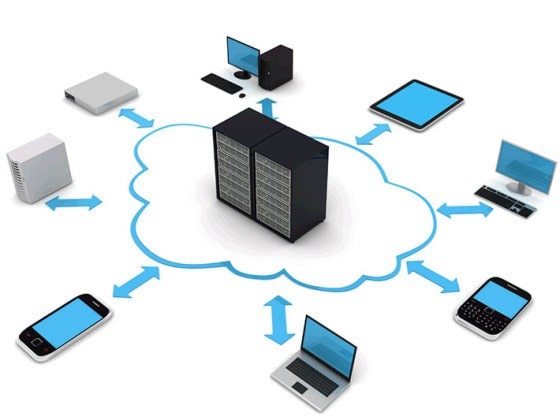
In general, the principles of file storage are to ensure the organization and convenient access to files, as well as to ensure data security and protection. They allow users to effectively manage and work with files while maintaining the integrity and security of information. Understanding these principles will help users and organizations maximize the potential of file storage and ensure effective management of their files and data.
In addition, file storage provides additional functionality, such as the ability to collaborate on files, synchronize between different devices, and integrate with other applications and services. This simplifies teamwork, file sharing with clients or partners, and provides flexibility and mobility when accessing files from anywhere in the world.
In the following sections of our article, we will look at the different types of file storage, their advantages and features, as well as the functions and capabilities they provide. We will also discuss the criteria for choosing a file storage solution and provide recommendations for the effective use of this important infrastructure. Let’s dive into the world of file storage and learn how it can improve our work with files and data.
What you will need VPS with Ubuntu 20.04 (preferably) and root/sudo access. Provider network data: IP/prefix and default gateway —

Why use RDP on Android? Access Windows VPS/server and RDS/AVD desktops from your phone/tablet. Make urgent edits in CMS/1C/corporate applications

Automating backups on Linux VPS is a basic data protection measure that saves you from errors, crashes, and failed updates.