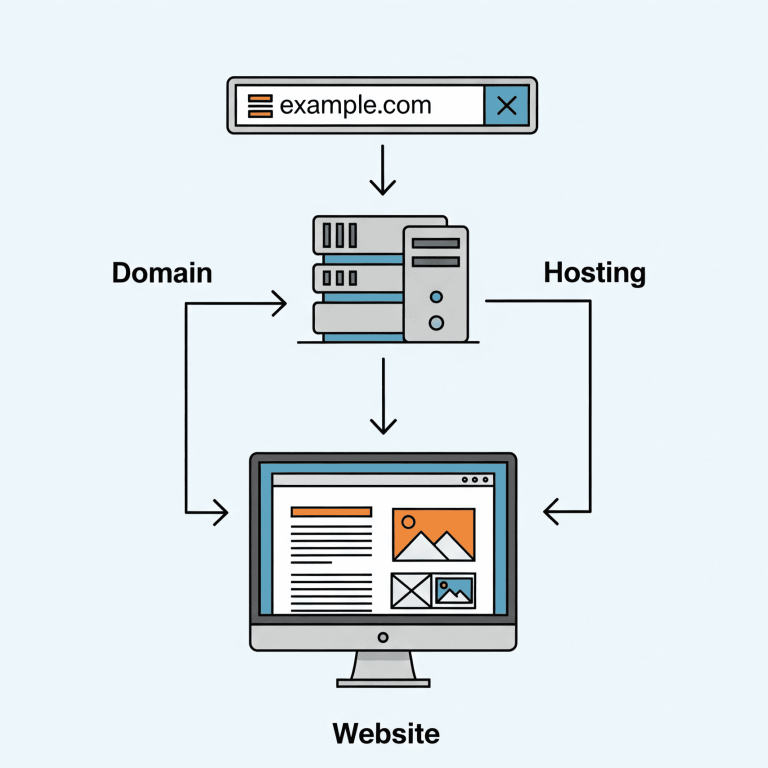
The three building blocks of any website
People often mix up domain, hosting, and website — but they are different things. Once you understand how they work together, launching a project becomes much easier (and you avoid paying for the wrong service).
To publish a site, you usually need both: a domain name and hosting. For beginners, shared hosting is a simple start; for growing projects, VPS hosting gives more control and stable resources.
Quick definitions (in one minute)
- Domain = your site’s address (example.com). People type it in a browser.
- Hosting = the server space where your site files and database live.
- Website = the actual content and code: pages, images, scripts, database.
Simple analogy: domain is the address, hosting is the building, and the website is everything inside (rooms, furniture, documents).
How they work together (what happens after you type a domain)
- Your browser asks DNS: “Where is example.com located?”
- DNS returns an IP address (the server where hosting is running).
- The browser connects to that server and requests the website.
- The server (hosting) returns HTML/CSS/JS and other content.
What DNS and nameservers have to do with it
DNS is the “phone book” of the internet. To connect your domain to hosting you usually:
- set provider nameservers at your domain registrar, or
- add DNS records manually (A/AAAA/CNAME) to point the domain to your hosting server.
This is why buying only a domain does not “create a website” — DNS can point nowhere if hosting is not ready.
What else you usually need (besides domain + hosting)
- CMS or framework: WordPress, Laravel, Node.js app, etc.
- SSL certificate: for HTTPS (security + trust + SEO).
- Email: mailboxes for your domain (optional, but common for business).
- Backups: so you can restore the site after errors or hacks.
Which hosting should you choose?
A practical rule:
- If you want the simplest start (no server admin), choose shared hosting.
- If you need custom software, stable resources, or you expect growth, choose VPS hosting.
Beginner launch checklist
- Register a domain name.
- Buy hosting (shared or VPS depending on your needs).
- Connect domain to hosting via nameservers or DNS records.
- Install CMS/app and upload website files.
- Enable HTTPS (SSL) and test in browser.
- Turn on backups and keep at least a few restore points.
Common mistakes (and how to avoid them)
- Buying only a domain and expecting a site to appear — you still need hosting + files.
- Choosing hosting only by price — hidden limits (CPU/I/O/inodes) can ruin performance.
- No backups — even a small mistake can become a full rebuild.