In the Cube-Host control panel, you can independently reinstall the operating system on your Linux VPS and select the desired distribution.
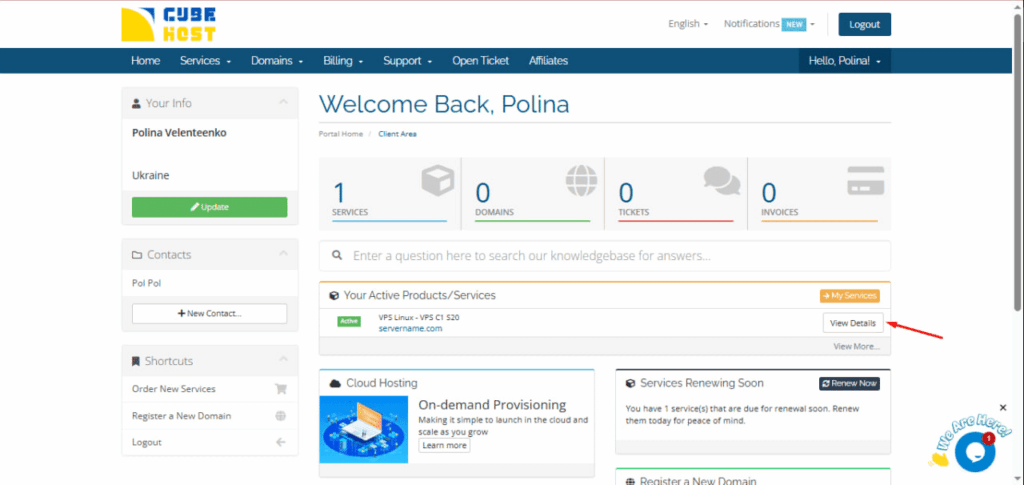
You will be taken to the Manage Product page.
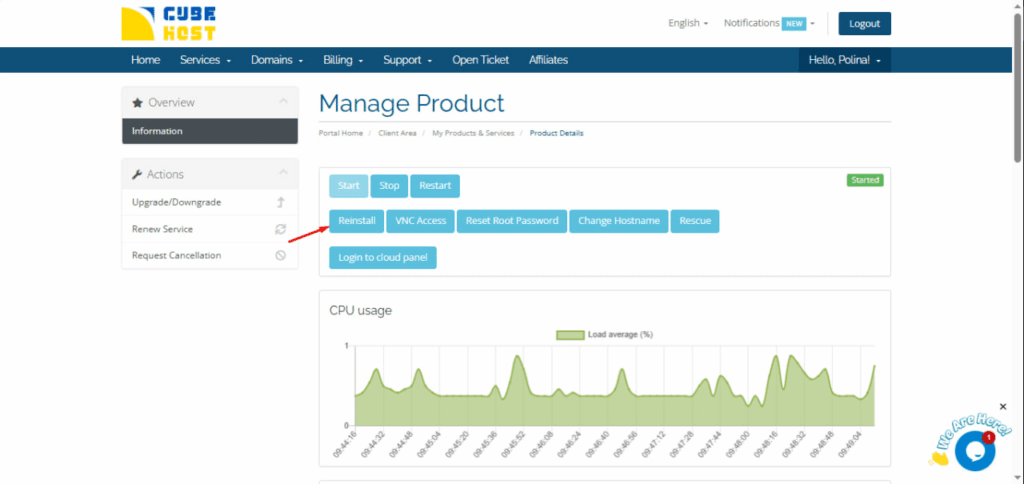
A set of actions is available on the server management page:
To change the operating system, click Reinstall.
After clicking, a confirmation window will appear:
Reinstall the server?
Click OK to continue.
⚠ Important: Reinstalling will completely delete all data on the server. Before performing this action, make sure you have made a backup.
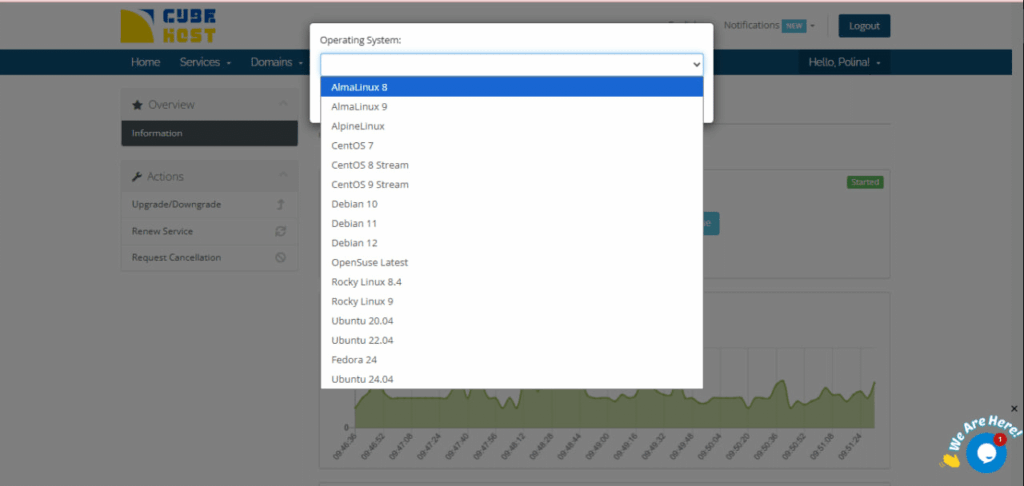
A window with a Operating System drop-down list will open.
The following distributions are available in the list: AlmaLinux 8, AlmaLinux 9, Alpine Linux, CentOS 7, CentOS 8 Stream, CentOS 9 Stream, Debian 10, etc.
Select the desired system from the list.
After selecting the OS, click the Reinstall button.
The server will begin the installation process for the selected system.









































