The server can be restarted via the client control panel and takes only a few seconds.
Step 1. Log in to your personal account
Go to the Cube-Host website and click Login.
Enter your account email and password.
After logging in, you will be taken to the Client Area (client home page).
On the main page, find the section:
Your Active Products/Services
Your server will be displayed in the list.
Click the View Details button to the right of the service.
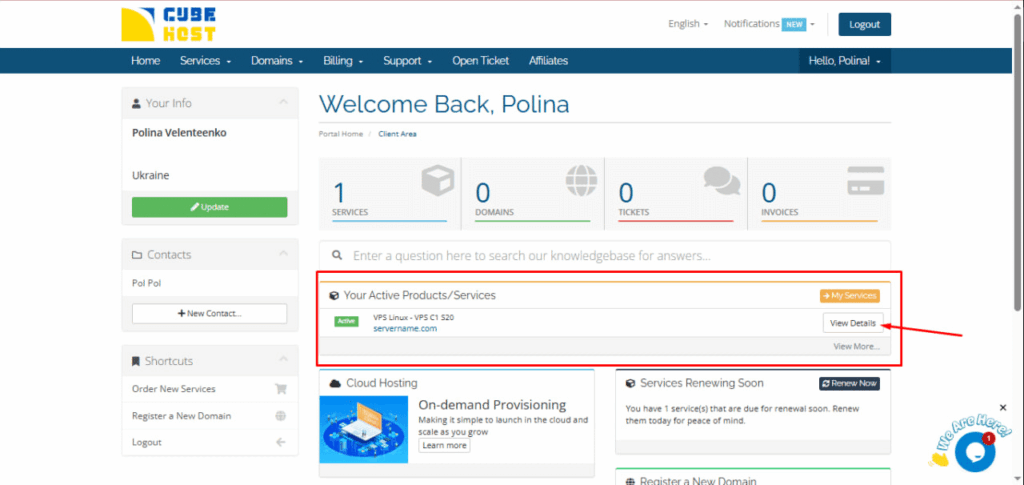
This will open the server management page — Manage Product.
At the top of the Manage Product page, you will find the server control panel with buttons.
To restart the server:
Click the Restart button
After clicking, the server will automatically restart.
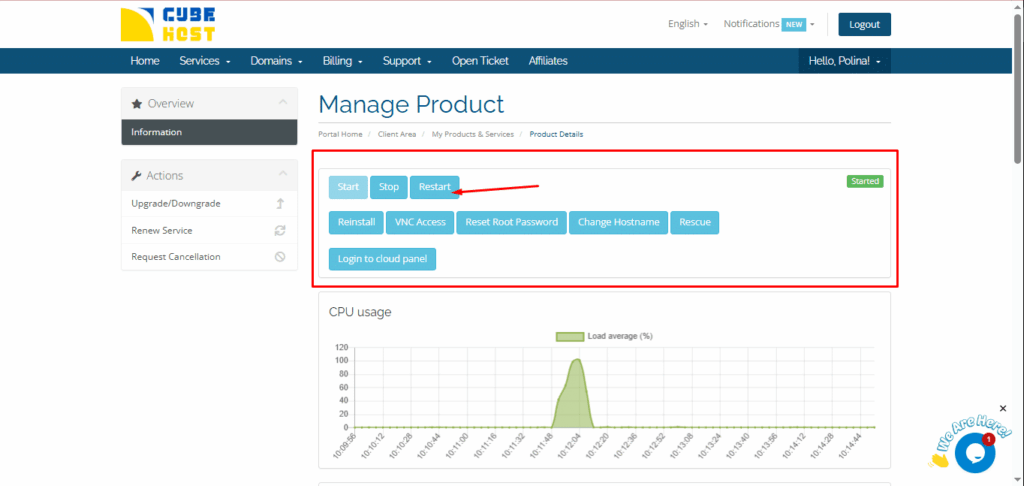
You can see the server status on the right — it is displayed as Started when the VPS is running.
You may need to restart the server if:









































