*Cube-Host– full cloud services!!

Knowledge Base

1.2. Logging into your personal account via Google or Twitter

Cube-Host supports quick login via third-party services — Google and Twitter (X). This allows you to log in without entering your Cube-Host account password.

Logging in via Google

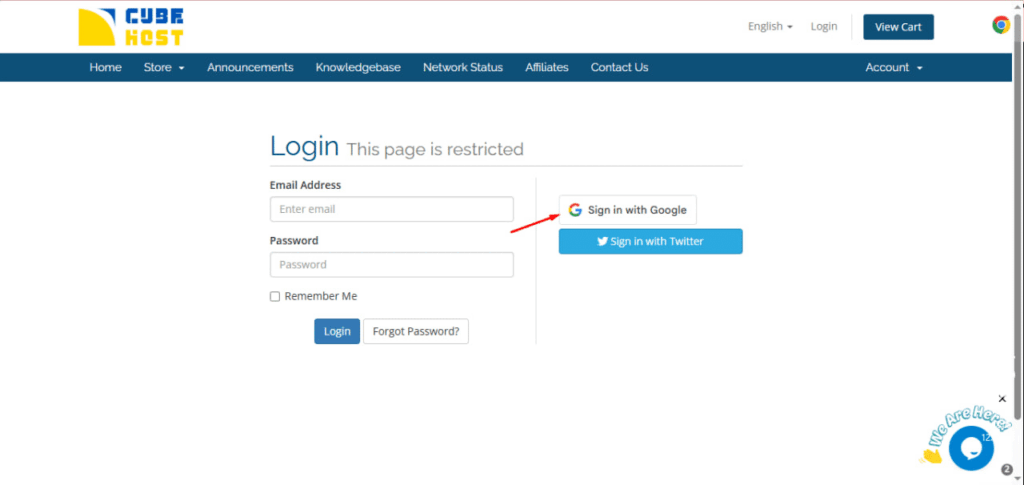
Step 1. Click “Sign in with Google”

On the authorization page, click the Sign in with Google button.
Step 2. Select your Google account

A Google window will open with a selection of accounts.

  • Select the desired email
  • Or click Use another account if you need a different profile

Step 3. Confirm login

After selecting an account, the system will automatically redirect you to your Cube-Host personal account.

If your Google account has not been linked to Cube-Host before:
  • the system may offer to create a new account
  • or link Google to your existing account

Login via Twitter (X)

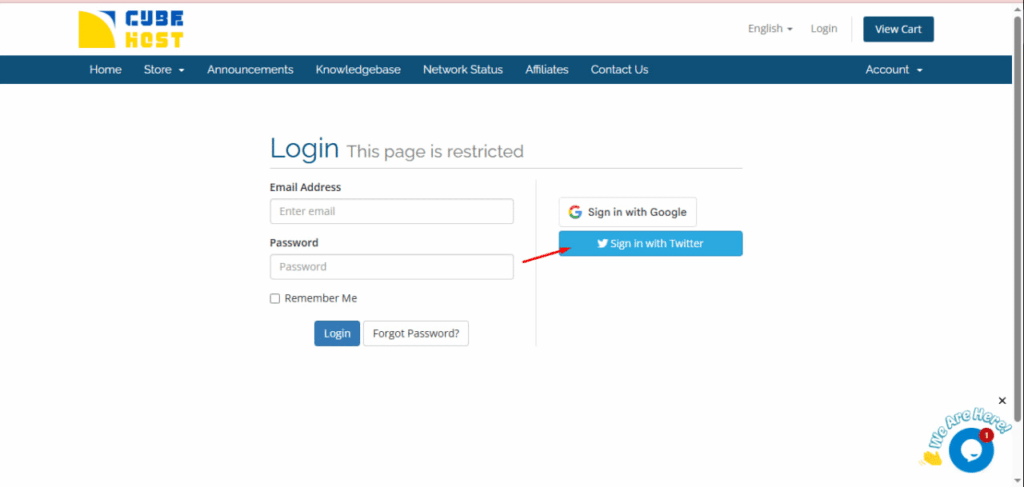
Step 1. Click “Sign in with Twitter”

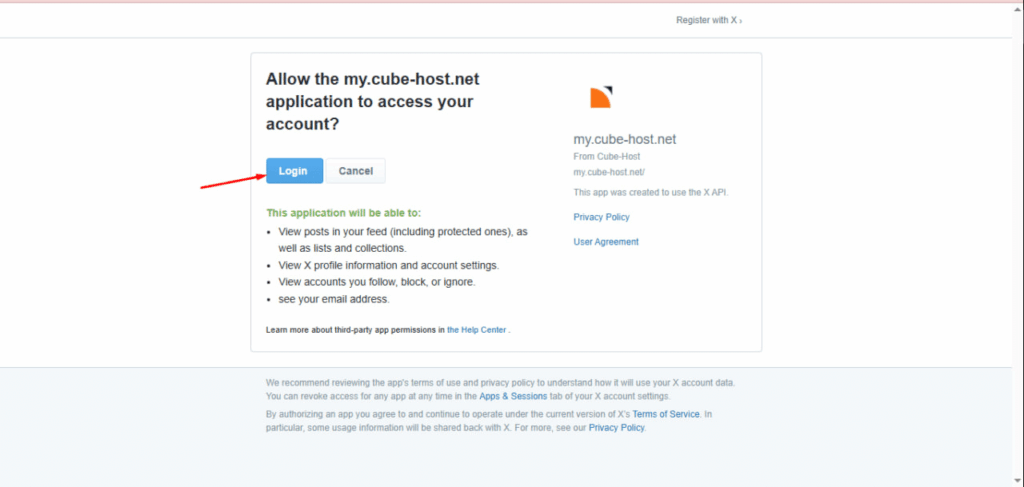
Step 2. Allow the application access

The Twitter authorization page (X) will open.

The system will request permission for the my.cube-host.net application.

Click the Login button to confirm access.
Step 3. Automatic login

After confirmation, you will be redirected to your Cube-Host personal account.

Important

  1. Your Google email must match the email registered with Cube-Host.

  2. If you are logging in via social media for the first time, additional verification may be required.

  3. If your browser blocks pop-up windows, allow pop-ups for the site.
































