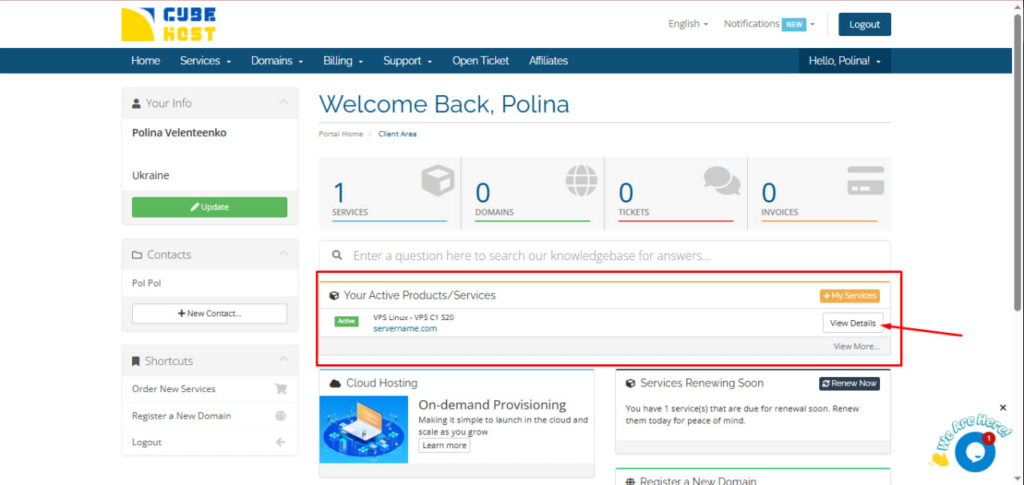
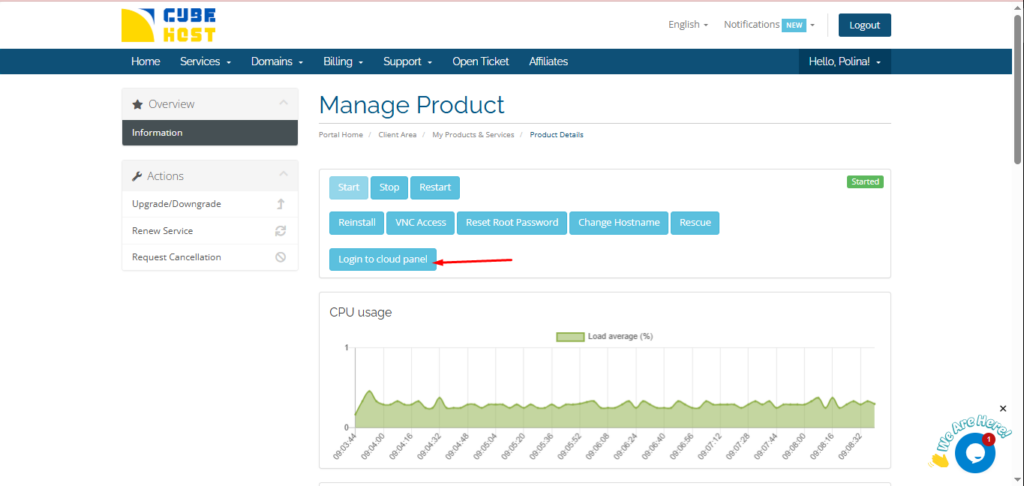
On the Manage Product page, click the
Login to cloud panel button.
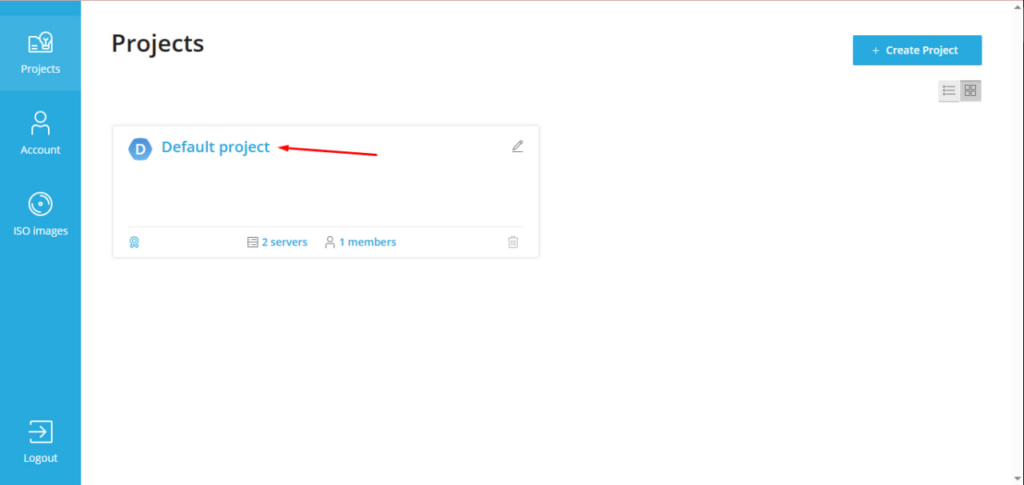
In the Projects section, click on your project.
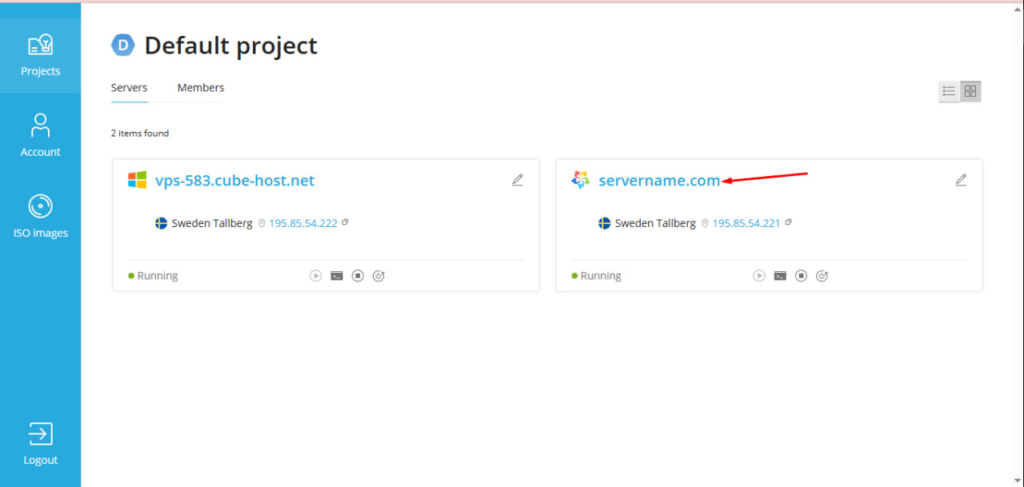
Click on the name of your server (for example, servername.com).
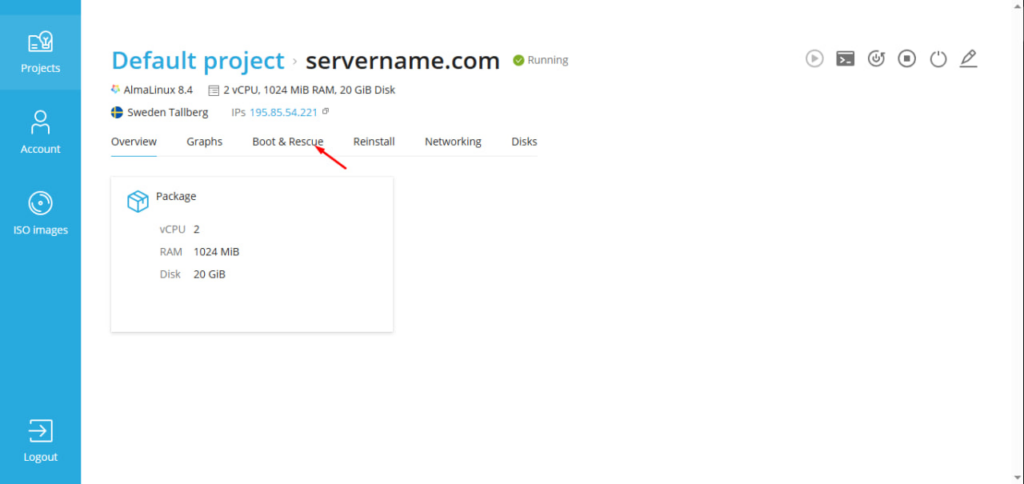
In the top menu of the server, open the Boot & Rescue tab.
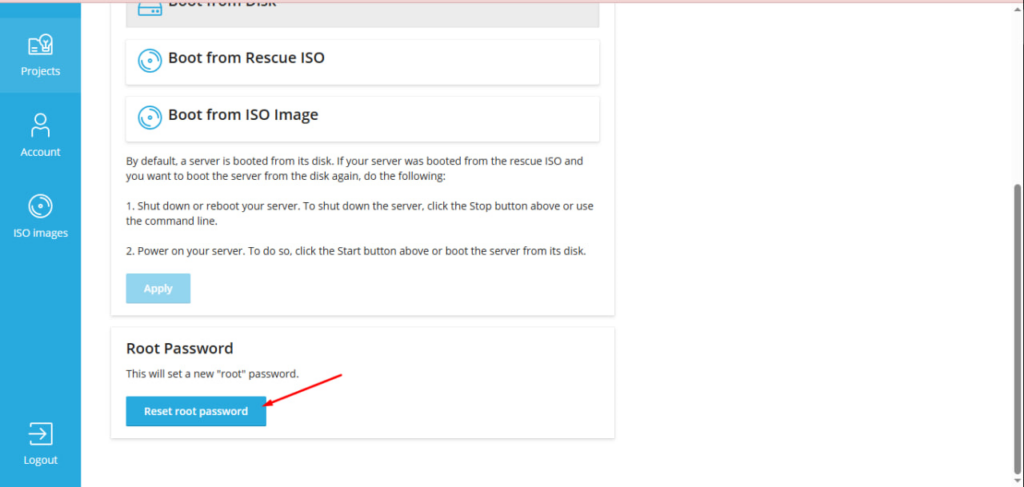
Scroll down to the Root Password section and click the Reset root password button.
In the window that appears, click Reset.
After confirmation, the New Root Password window will appear with an automatically generated password.
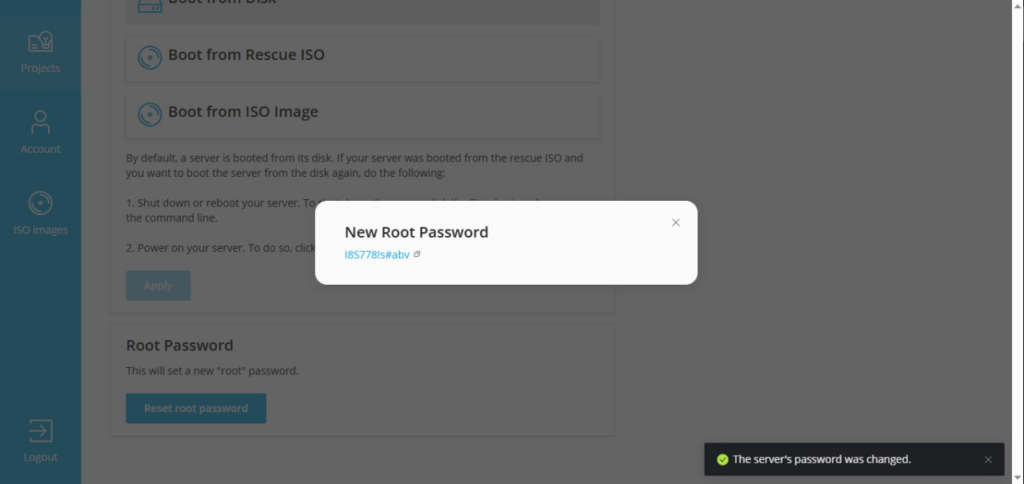
⚠️ Be sure to save it — the window may not appear again.









































