⚠ Important: When reinstalling, all data on the server will be deleted.
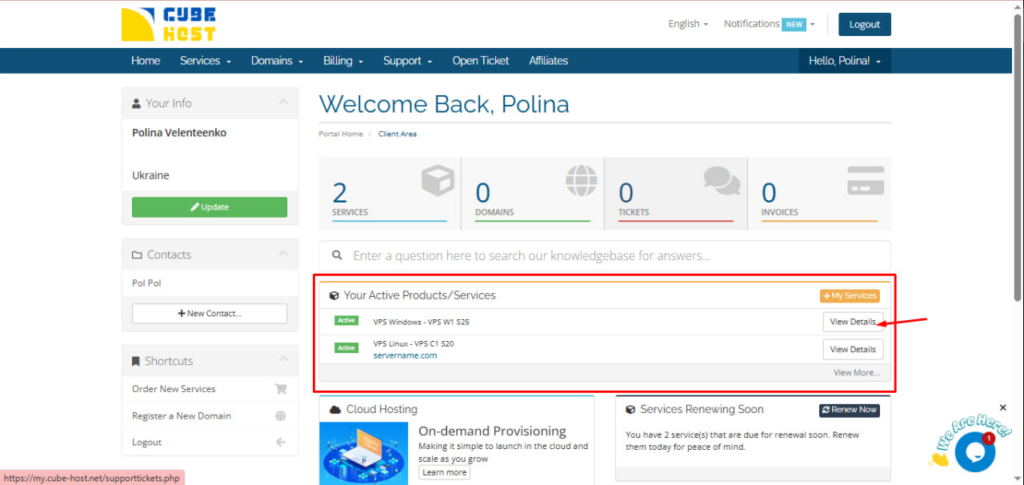
In your personal cabinet find the block: Your Active Products/Services
Select: VPS Windows – VPS W1 S25.
Click the View Details button.
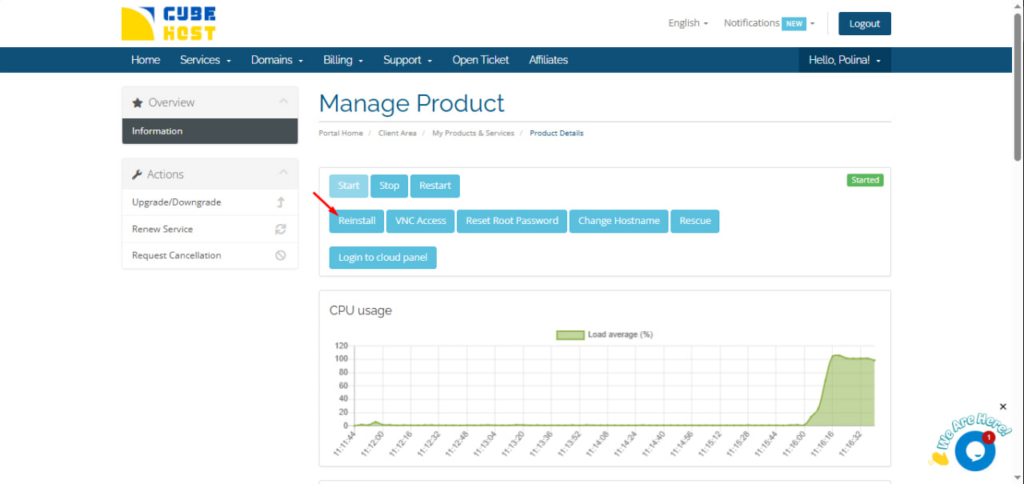
On the Manage Product page, click the Reinstall button.
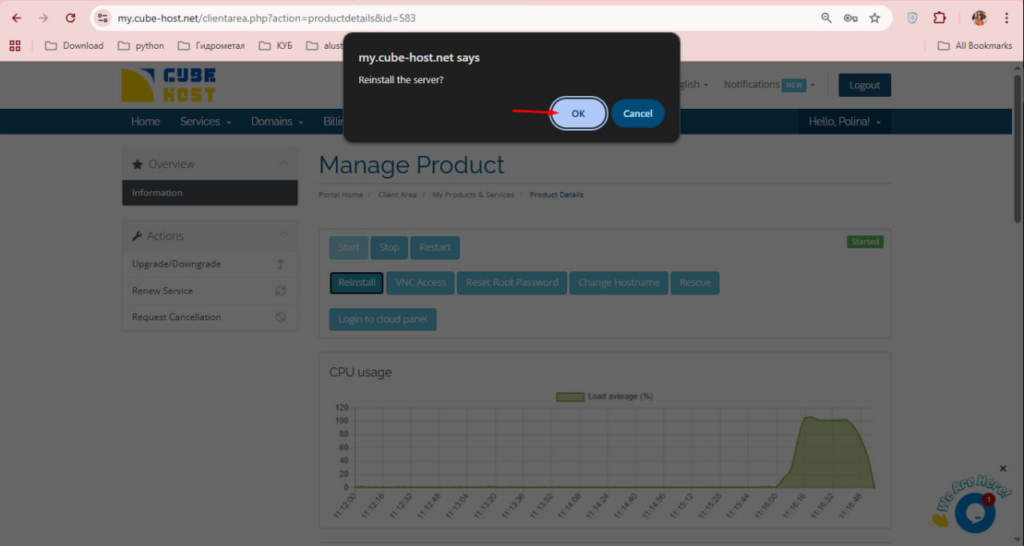
A confirmation dialog box will appear: Reinstall the server?
Click OK to continue.
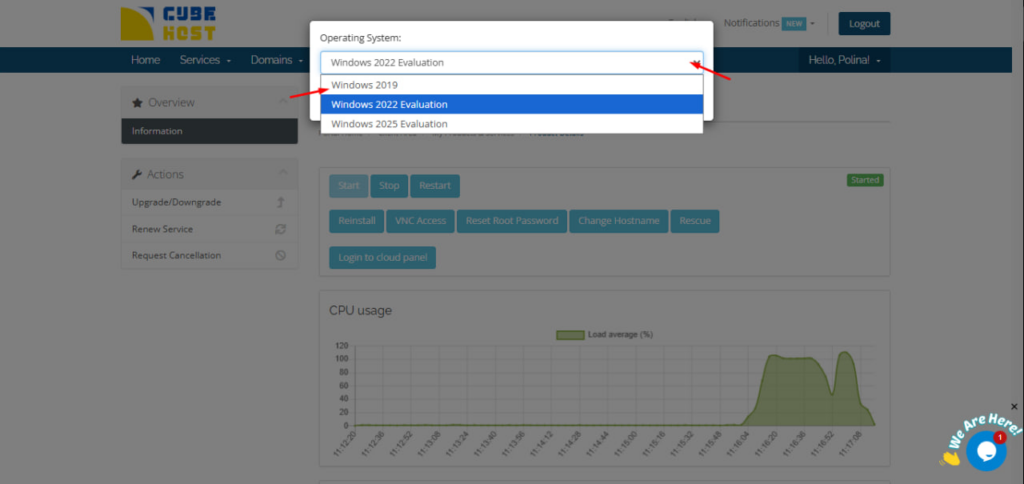
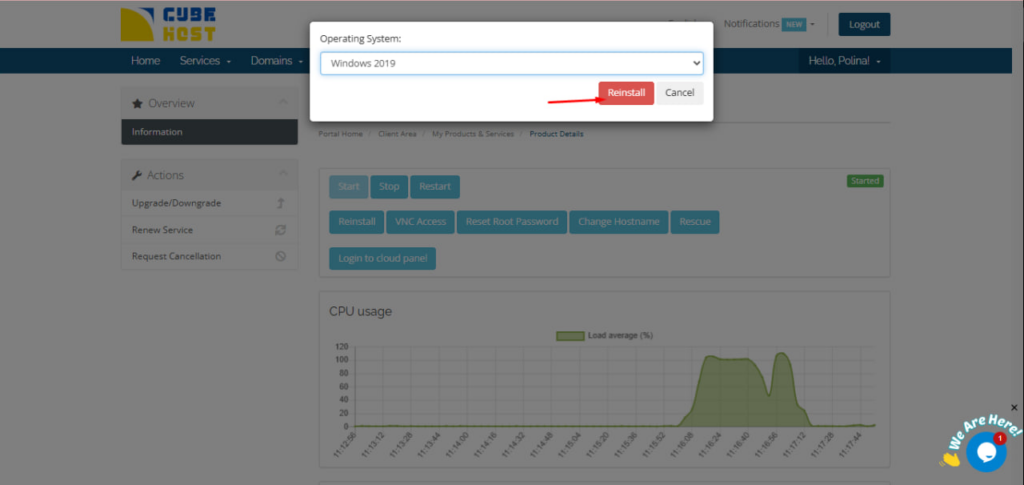
After confirmation, the window for selecting the operating system will appear.
In the drop-down list available, for example:
Select the desired version.
After selecting the version, click: Reinstall
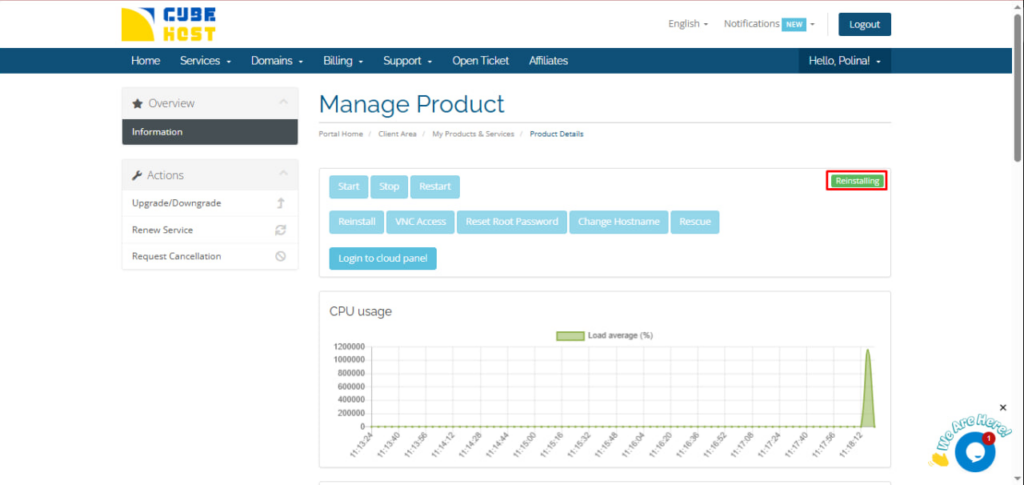
During the installation, the server status will change to: Reinstalling
The process may take a few minutes.
Once complete, the status will change to: Started









































